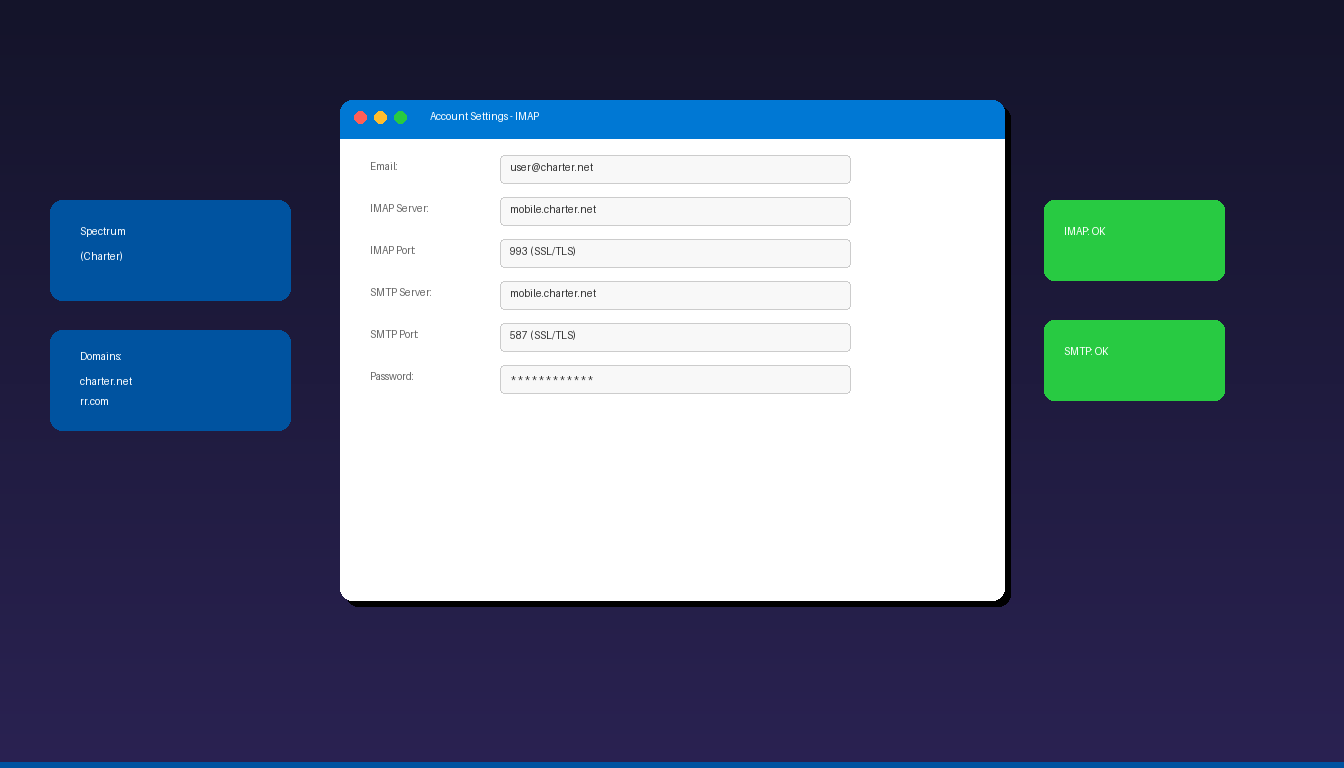
Spectrum email (formerly Charter Communications and RoadRunner) connects to Microsoft Outlook using mobile.charter.net as both the IMAP and SMTP server. All Spectrum email domains — @charter.net, @rr.com, @roadrunner.com, and regional variants — use the same server infrastructure. Once connected, add a professional email signature to personalize your outgoing emails.
Key Takeaways
- Spectrum uses
mobile.charter.netfor both IMAP (port 993, SSL) and SMTP (port 587, SSL/TLS) — the same server handles all Spectrum email domains. - All legacy domains (@charter.net, @rr.com, @roadrunner.com) use identical server settings — there is no separate server per domain.
- Manual IMAP setup is required in Outlook because auto-detect does not reliably recognize Spectrum email accounts.
What Are the IMAP and SMTP Settings for Spectrum Email?
Spectrum email uses mobile.charter.net for both incoming and outgoing mail — this single server handles all Spectrum, Charter, and RoadRunner email domains.
| Setting | Value |
|---|---|
| Incoming Server (IMAP) | mobile.charter.net |
| IMAP Port | 993 |
| IMAP Encryption | SSL/TLS |
| Outgoing Server (SMTP) | mobile.charter.net |
| SMTP Port | 587 |
| SMTP Encryption | SSL/TLS |
| Username | Your full Spectrum email address |
| Password | Your Spectrum email password |
| SMTP Authentication | Required |
These settings work for all Spectrum email domains:
| Domain | Origin |
|---|---|
| @charter.net | Charter Communications |
| @rr.com | RoadRunner (Time Warner Cable) |
| @roadrunner.com | RoadRunner |
| @twc.com | Time Warner Cable |
| @wi.rr.com, @sc.rr.com, etc. | Regional RoadRunner variants |
For SMTP configuration details across providers, see our Outlook SMTP settings guide.
How Do I Add Spectrum Email to Outlook?
Use manual IMAP setup — Outlook’s auto-detect does not reliably configure Spectrum accounts.
Step-by-Step
- Open Outlook and click File > Add Account.
- Enter your Spectrum email address, click Advanced options, check Let me set up my account manually.
- Click Connect and select IMAP.
- Enter the incoming server settings:
- Server: mobile.charter.net, Port: 993, Encryption: SSL/TLS
- Enter the outgoing server settings:
- Server: mobile.charter.net, Port: 587, Encryption: SSL/TLS
- Enter your Spectrum email password.
- Click Connect.
Verify SMTP Authentication
If sending fails:
- Go to File > Account Settings > double-click your Spectrum account.
- Click More Settings > Outgoing Server tab.
- Check My outgoing server (SMTP) requires authentication.
- Select Use same settings as my incoming mail server.
- Click OK and test sending.
Why Is My Spectrum Email Not Working in Outlook?
The most common causes are using the wrong server name, port 25 (blocked by Spectrum), or outdated password.
| Issue | Fix |
|---|---|
| Cannot receive email | Use mobile.charter.net port 993 with SSL |
| Cannot send email | Use mobile.charter.net port 587 with SSL (NOT port 25) |
| SMTP rejected | Enable SMTP authentication |
| Authentication failed | Reset password at spectrum.net/account |
| Using old server names | Update from mail.charter.net to mobile.charter.net |
| Connection timeout | Check firewall allows ports 993 and 587 |
| Password loop | Clear Spectrum entries in Windows Credential Manager |
Verify Account at Webmail
Confirm your account works before troubleshooting Outlook:
- Go to webmail.spectrum.net.
- Sign in with your Spectrum email and password.
- If you can send/receive, the issue is Outlook-specific.
Can I Use Spectrum Email With the New Outlook?
Yes — the new Outlook supports Spectrum email through manual IMAP setup.
- Open new Outlook > Settings > Add account.
- Enter your Spectrum email address.
- Select IMAP when prompted.
- Enter the server settings from the table above.
- Click Connect.
For other email providers, see our guides for Comcast, AT&T, and Verizon. For a complete overview, see our Outlook email setup guide.
What Happens to Spectrum Email If I Cancel Service?
Spectrum may deactivate your email account if you cancel your internet service — back up important emails before making any service changes.
- Spectrum does not guarantee indefinite email access after service cancellation.
- Some former customers report losing access within 60-90 days.
- Back up emails by downloading them via IMAP to a local PST file in Outlook.
- Consider migrating important contacts and emails to a permanent provider (Gmail, Outlook.com) before canceling.
For backing up Outlook data, see our Outlook archive setup guide. If you need Outlook desktop, Microsoft Office 2024 Professional Plus ($199.99) includes the classic Outlook application.
Frequently Asked Questions
What is the IMAP server for Spectrum email?
The incoming IMAP server is mobile.charter.net on port 993 with SSL/TLS encryption. The outgoing SMTP server is also mobile.charter.net on port 587 with SSL/TLS. This single server handles all Spectrum domains including @charter.net, @rr.com, and @roadrunner.com.
Is Spectrum email the same as Charter email?
Yes. Charter Communications rebranded to Spectrum. Email addresses ending in @charter.net, @rr.com (RoadRunner), and @twc.com (Time Warner Cable) all use the same Spectrum email infrastructure with identical IMAP and SMTP server settings.
Why does Spectrum use mobile.charter.net instead of mail.charter.net?
Spectrum consolidated its email servers to mobile.charter.net for all access methods — desktop, mobile, and webmail. The older mail.charter.net address may still work but is deprecated. Always use mobile.charter.net for the most reliable connection.
Can I use POP3 for Spectrum email?
Yes. Spectrum supports POP3 on mobile.charter.net port 995 with SSL. However, IMAP is recommended because it syncs across devices. See our Outlook POP3 setup guide for details.


