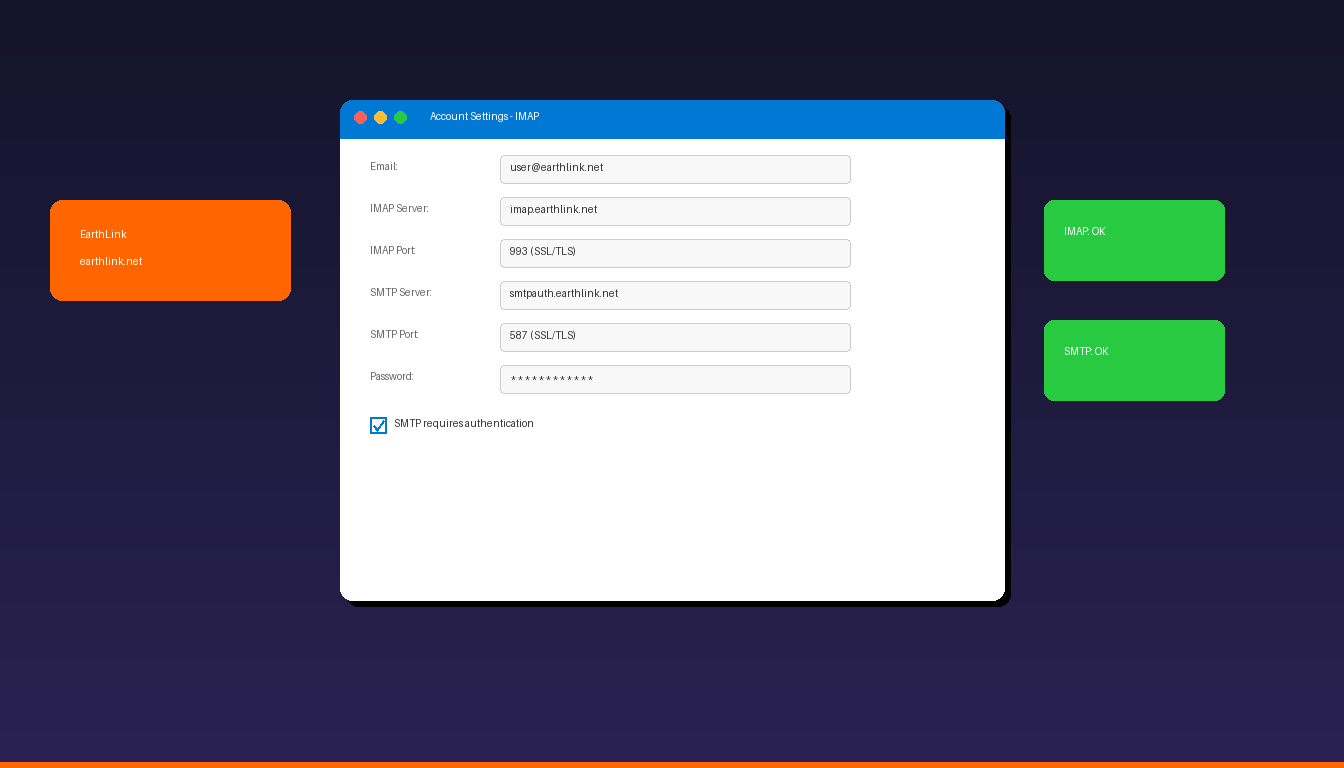
EarthLink email (@earthlink.net) connects to Microsoft Outlook using IMAP for incoming mail and SMTP for outgoing mail with SSL encryption. The setup requires manual server configuration since Outlook’s auto-detect does not always recognize EarthLink accounts. Once connected, add a professional email signature to complete your setup.
Key Takeaways
- EarthLink uses IMAP server
imap.earthlink.neton port 993 (SSL) and SMTP serversmtpauth.earthlink.neton port 587 (SSL/TLS). - Use your full EarthLink email address as the username and enable SMTP authentication for outgoing mail.
- IMAP is recommended over POP3 because it keeps emails synchronized across all devices.
What Are the IMAP and SMTP Settings for EarthLink?
EarthLink email connects to Outlook using imap.earthlink.net for incoming mail and smtpauth.earthlink.net for outgoing mail, both requiring SSL encryption.
| Setting | Value |
|---|---|
| Incoming Server (IMAP) | imap.earthlink.net |
| IMAP Port | 993 |
| IMAP Encryption | SSL/TLS |
| Outgoing Server (SMTP) | smtpauth.earthlink.net |
| SMTP Port | 587 |
| SMTP Encryption | SSL/TLS |
| Username | Your full EarthLink email ([email protected]) |
| Password | Your EarthLink email password |
| SMTP Authentication | Required |
According to EarthLink Help, the SMTP server requires the smtpauth prefix — using smtp.earthlink.net without it will fail for authenticated sending. For SMTP details across all providers, see our Outlook SMTP settings guide.
How Do I Add EarthLink Email to Outlook?
Use manual IMAP setup in Outlook — EarthLink accounts typically require manual server configuration rather than auto-detect.
Step-by-Step
- Open Outlook and click File > Add Account.
- Enter your EarthLink email address, click Advanced options, check Let me set up my account manually.
- Click Connect and select IMAP.
- Enter the incoming server settings:
- Server: imap.earthlink.net
- Port: 993
- Encryption: SSL/TLS
- Enter the outgoing server settings:
- Server: smtpauth.earthlink.net
- Port: 587
- Encryption: SSL/TLS
- Enter your EarthLink password.
- Click Connect.
Verify SMTP Authentication
If sending fails after setup:
- Go to File > Account Settings > double-click your EarthLink account.
- Click More Settings > Outgoing Server tab.
- Check My outgoing server (SMTP) requires authentication.
- Select Use same settings as my incoming mail server.
- Click OK and test sending.
Why Is My EarthLink Email Not Working in Outlook?
The most common causes are incorrect SMTP server name, disabled authentication, or outdated password — verify server settings and credentials first.
Troubleshooting Checklist
| Issue | Fix |
|---|---|
| Cannot send email | Use smtpauth.earthlink.net (not smtp.earthlink.net) |
| Cannot receive email | Verify imap.earthlink.net on port 993 with SSL |
| Authentication failed | Check password at webmail.earthlink.net |
| SMTP rejected | Enable SMTP authentication in account settings |
| Connection timeout | Check firewall allows ports 993 and 587 |
| Password loop | Clear EarthLink entries in Windows Credential Manager |
Verify Account at Webmail
Before troubleshooting Outlook, confirm your account works:
- Go to webmail.earthlink.net.
- Sign in with your EarthLink email and password.
- If you can sign in and send/receive email, the issue is Outlook-specific.
- If you cannot sign in, reset your password through EarthLink support.
Can I Use EarthLink Email With the New Outlook?
The new Outlook for Windows supports EarthLink email through manual IMAP setup — enter your email address, select IMAP, and configure the server settings.
- Open the new Outlook > Settings > Add account.
- Enter your EarthLink email address.
- If auto-detect fails, select IMAP.
- Enter the IMAP and SMTP server settings from the table above.
- Enter your password and click Connect.
For adding other email providers, see our guides on Gmail, Comcast, AOL, and Yahoo. For a complete setup overview, see our Outlook email setup guide.
How Do I Set Up EarthLink Email on Mobile?
The Outlook mobile app supports EarthLink email through IMAP — enter your email address and configure server settings manually.
- Open the Microsoft Outlook app on iPhone or Android.
- Tap Add Account.
- Enter your EarthLink email address.
- If auto-setup fails, toggle Advanced Settings.
- Enter IMAP and SMTP server settings from the table above.
- Tap Sign In.
If you need Outlook desktop with full EarthLink email support, Microsoft Office 2024 Professional Plus ($199.99) includes the classic Outlook application.
Frequently Asked Questions
What is the IMAP server for EarthLink email?
The incoming IMAP server is imap.earthlink.net on port 993 with SSL/TLS encryption. The outgoing SMTP server is smtpauth.earthlink.net on port 587 with SSL/TLS. Use your full email address ([email protected]) as the username for both servers.
Why does my EarthLink email keep asking for a password in Outlook?
This usually happens when the password is incorrect, SMTP authentication is not enabled, or cached credentials in Windows Credential Manager are outdated. Verify your password at webmail.earthlink.net, enable SMTP authentication, and clear EarthLink entries in Credential Manager.
Can I use POP3 instead of IMAP for EarthLink?
Yes. EarthLink supports POP3 on pop.earthlink.net port 995 with SSL. However, IMAP is recommended because it syncs emails across all devices. POP3 downloads emails to one device and may delete them from the server. See our Outlook POP3 setup guide for POP3 configuration.
Is EarthLink email still active?
Yes. EarthLink continues to provide email service to its subscribers. Your @earthlink.net email address works for sending and receiving email through Outlook, the EarthLink webmail interface, or any IMAP-compatible app. EarthLink email is included with EarthLink internet service plans.


