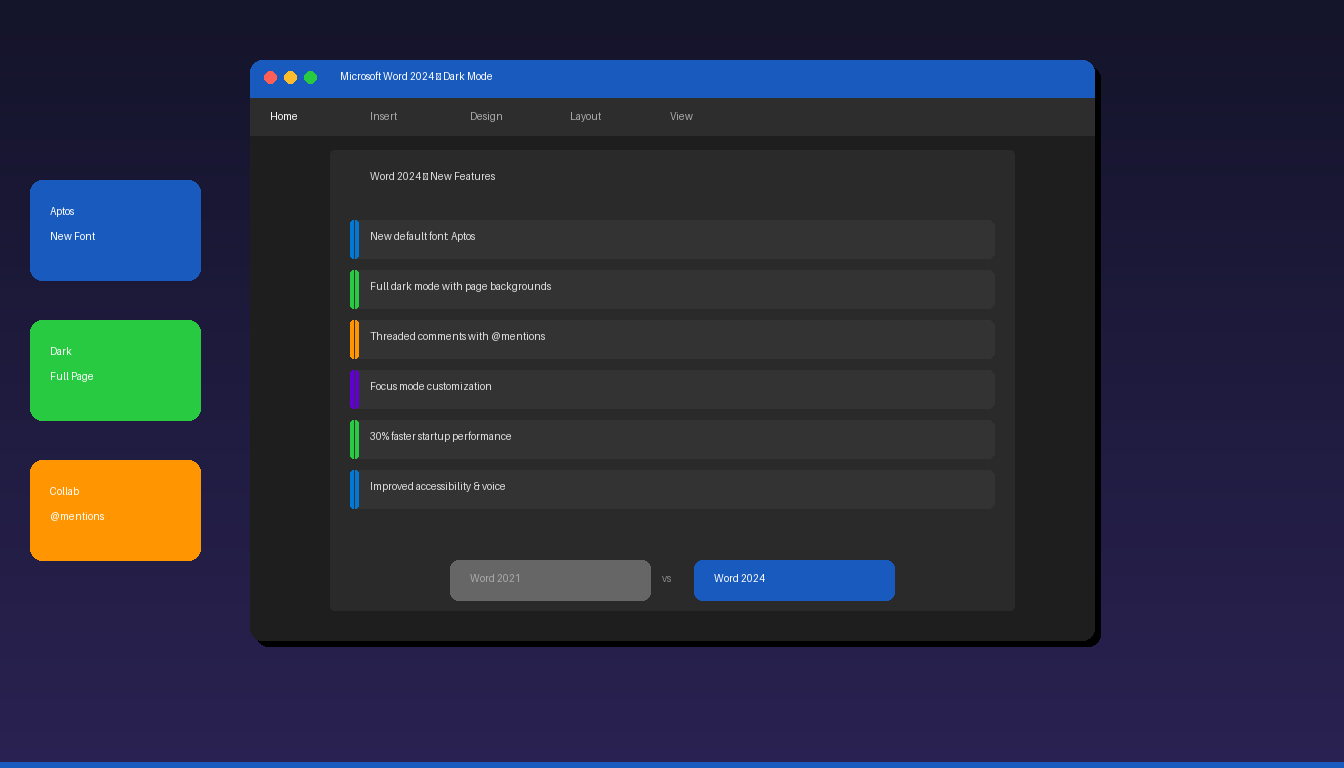
Microsoft Word 2024 is the latest one-time purchase version of Word, included in Office 2024. It brings modernized design, improved dark mode, better collaboration features, and the new Aptos default font — replacing Calibri for the first time in 17 years. Word 2024 is a significant upgrade from Word 2021, especially in UI design and accessibility. For Word fundamentals, see our Microsoft Word tutorial for beginners.
Key Takeaways
- Word 2024 introduces Aptos as the new default font, replacing Calibri — along with a modernized interface with rounded corners and updated icons.
- Dark mode now supports page backgrounds in Word 2024, creating a fully immersive dark editing experience instead of just darkening the ribbon.
- Word 2024 is a one-time purchase (no subscription) — Copilot AI features require a separate Microsoft 365 Copilot subscription.
What Are the New Features in Word 2024?
Word 2024 adds a modernized interface, new default font, improved dark mode, better accessibility, enhanced collaboration, and Focus mode customization.
Feature Overview
| Feature | Word 2021 | Word 2024 |
|---|---|---|
| Default font | Calibri | Aptos (new) |
| Dark mode | Ribbon only | Full page + background |
| Interface | Classic design | Rounded corners, updated icons |
| Focus mode | Basic | Customizable visible tools |
| Comments | Basic threading | Full threaded + @mentions |
| Co-authoring | Limited | Improved with offline sync |
| Startup speed | Baseline | ~30% faster |
| Screen reader | Basic | Enhanced |
| Voice recognition | Basic | Improved accuracy |
| ODF support | ODF 1.3 | ODF 1.4 |
| Copilot AI | Not available | Not included (M365 only) |
What Is the Aptos Font?
Aptos is Word 2024’s new default font, replacing Calibri as the default for all new documents — it is a modern sans-serif typeface designed for better on-screen readability.
Aptos vs Calibri
| Feature | Calibri | Aptos |
|---|---|---|
| Default since | 2007 (17 years) | 2024 |
| Style | Rounded sans-serif | Geometric sans-serif |
| Readability | Good | Improved on high-DPI screens |
| Body text size | 11pt recommended | 12pt default |
| Heading variant | Calibri Light | Aptos Display |
| Character set | Standard | Extended Unicode |
Existing documents retain their original font — Aptos only applies to new documents created in Word 2024. You can switch back to Calibri anytime through Design > Fonts.
How Has Dark Mode Improved?
Word 2024’s dark mode now darkens the page background itself — not just the ribbon and sidebar — creating a fully immersive dark editing experience that reduces eye strain.
Dark Mode Comparison
| Element | Word 2021 Dark | Word 2024 Dark |
|---|---|---|
| Ribbon | Dark | Dark |
| Sidebar/panels | Dark | Dark |
| Page background | White (unchanged) | Dark (matches theme) |
| Text color | Black on white | Light on dark |
| Printed output | Standard (black on white) | Standard (unaffected) |
| Eye strain | Moderate (bright page) | Low (fully dark) |
To enable dark mode: go to File > Options > General > Office Theme > select Dark Gray or Black. Then enable page color switching under File > Options > General > check Dark mode renders page with dark background.
Printed documents always print with standard formatting (black text on white paper) regardless of dark mode settings.
What Collaboration Features Are New?
Word 2024 adds threaded comments with @mentions, improved co-authoring with offline sync, and restructured version history for better document collaboration.
Threaded Comments
- Comments now support full conversation threads — reply directly under any comment.
- @mention colleagues in comments (e.g., @Sarah) to send notifications.
- Resolve comment threads when issues are addressed — resolved threads collapse but remain accessible.
Improved Co-Authoring
- Multiple users can edit simultaneously with real-time cursor tracking.
- Offline editing syncs changes automatically when reconnected — Word 2021 required constant connection.
- AutoSave integrates with OneDrive and SharePoint for automatic version saves.
Version History
- Go to File > Info > Version History to see all saved versions.
- Compare versions side-by-side to track changes between saves.
- Restore any previous version without losing current work.
How Does Focus Mode Work in Word 2024?
Focus mode hides the ribbon, taskbar, and other distractions — Word 2024 adds customization so you can choose which tools remain visible during focused writing.
Enable Focus Mode
- Go to View tab > Focus (or press Alt+W, O).
- Word enters full-screen mode with minimal interface.
- Move your mouse to the top to temporarily show the ribbon.
- Press Escape to exit Focus mode.
Word 2024 Focus Customization
In Word 2024, you can control which elements remain visible:
- Page width — narrow, medium, or full width
- Background color — choose a distraction-free background
- Visible tools — select which formatting tools stay accessible
- Status bar — show or hide word count and page number
Word 2024 vs Word 2021: Should You Upgrade?
Upgrade if you want the modernized interface, improved dark mode, and better collaboration — stay on Word 2021 if your current version meets all your needs.
| Factor | Recommendation |
|---|---|
| Need dark mode on page | Upgrade — Word 2024 has full dark page support |
| Need Copilot AI | Don’t upgrade — Copilot requires M365 subscription, not Office 2024 |
| Need better collaboration | Upgrade — threaded comments + @mentions are significant |
| Happy with current Word | Stay — Word 2021 is fully supported until 2026 |
| Performance matters | Upgrade — 30% faster startup |
| Accessibility needs | Upgrade — improved screen reader and voice |
| Budget-conscious | Stay — Word 2021 still works well |
Pricing
| Edition | Price | Includes Word? |
|---|---|---|
| Office 2024 Professional Plus | $199.99 | Yes + Excel, PowerPoint, Outlook, Access, Publisher |
| Office 2024 Home & Business | $189.99 | Yes + Excel, PowerPoint, Outlook |
| Office 2024 Home | $139.99 | Yes + Excel, PowerPoint |
| Office 2021 Professional Plus | $64.99 | Yes (previous version, still supported) |
All editions are one-time purchases with lifetime licenses — no monthly subscription required.
For formatting documents in any Word version, see our Word document formatting guide.
Frequently Asked Questions
Does Word 2024 include Copilot AI?
No. Microsoft Copilot is only available with a Microsoft 365 subscription plus a separate Copilot add-on license. Office 2024 (one-time purchase) does not include Copilot. If you need AI writing assistance in Word, you need Microsoft 365 Personal ($6.99/mo) or Business ($12.50/mo) plus the Copilot add-on.
Can I open Word 2024 files in Word 2021?
Yes. Word 2024 uses the same .docx file format as Word 2021, 2019, and 2016. Files created in Word 2024 open seamlessly in older versions. The only difference is that documents using the Aptos font may display in Calibri on systems where Aptos is not installed.
Is Word 2024 a one-time purchase or subscription?
One-time purchase. Office 2024 is a perpetual license — you pay once and use it indefinitely. It does not receive new feature updates (only security patches), unlike Microsoft 365 which receives continuous feature updates. For the latest features at all times, choose Microsoft 365; for stability and no recurring cost, choose Office 2024.
What happened to Calibri in Word 2024?
Calibri is still available in Word 2024 — it is just no longer the default font for new documents. Aptos replaced Calibri as the default after Microsoft conducted a public font evaluation in 2023. Existing documents created with Calibri retain that font when opened in Word 2024. You can set Calibri as your default by going to Design > Fonts > Calibri.


