How to Set Up Yahoo Mail in Outlook
Yahoo Mail connects to Microsoft Outlook through either OAuth authentication (a browser sign-in page) or…
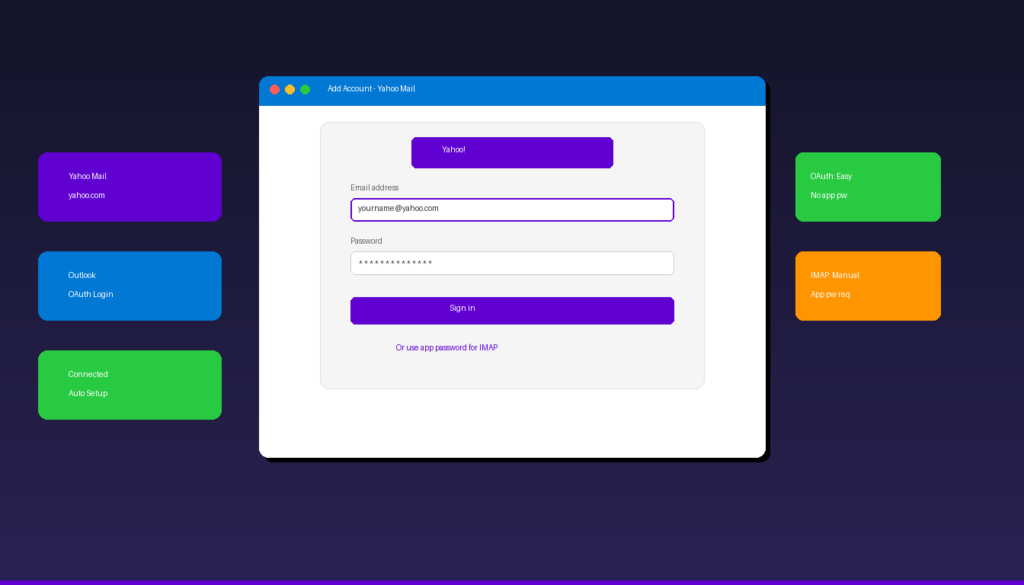
Yahoo Mail connects to Microsoft Outlook through either OAuth authentication (a browser sign-in page) or manual IMAP configuration with an app password. Newer versions of Outlook support OAuth, which means you can add Yahoo using your regular password without generating an app-specific code. Once your Yahoo account is connected, personalize your outgoing emails with a professional signature in Outlook.
Key Takeaways
- Newer Outlook versions (Microsoft 365, Outlook 2021/2024) support Yahoo OAuth — just enter your email and sign in through the Yahoo page that appears automatically.
- For older Outlook versions or when OAuth fails, use IMAP server
imap.mail.yahoo.comon port 993 (SSL) and SMTP serversmtp.mail.yahoo.comon port 465 (SSL). - If manual IMAP setup is required, generate a 16-character app password from Yahoo Account Security — your regular Yahoo password will not work.
What Are the IMAP and SMTP Settings for Yahoo Mail?
Yahoo Mail uses imap.mail.yahoo.com for incoming mail and smtp.mail.yahoo.com for outgoing mail, both requiring SSL encryption and either OAuth or an app password for authentication.
| Setting | Value |
|---|---|
| Incoming Server (IMAP) | imap.mail.yahoo.com |
| IMAP Port | 993 |
| IMAP Encryption | SSL/TLS |
| Outgoing Server (SMTP) | smtp.mail.yahoo.com |
| SMTP Port | 465 (SSL) or 587 (STARTTLS) |
| SMTP Encryption | SSL/TLS or STARTTLS |
| Username | Your full Yahoo email address (including @yahoo.com) |
| Password | App password (manual setup) or regular password (OAuth) |
| SMTP Authentication | Required |
These settings also work for @ymail.com and @rocketmail.com addresses, which are Yahoo Mail aliases. For SMTP configuration details across all providers, see our Outlook SMTP settings guide.
How Do I Add Yahoo Mail to Outlook With OAuth (Recommended)?
In newer Outlook versions, enter your Yahoo email address and sign in through the Yahoo authentication page that appears — no app password or manual server settings needed.
- Open Microsoft Outlook and click File > Add Account.
- Enter your full Yahoo email address (e.g., yourname@yahoo.com).
- Click Connect.
- A Yahoo sign-in page opens in your browser.
- Enter your Yahoo password and complete any verification steps.
- Click Agree to authorize Outlook to access your Yahoo Mail.
- Outlook configures all settings automatically — click Done.
This method works with: – Microsoft 365 Outlook (current versions) – Outlook 2021 and Outlook 2024 – New Outlook for Windows
According to Microsoft Support, OAuth is the recommended method because it is more secure and does not require app passwords.
Important: Always add Yahoo accounts using File > Add Account from within Outlook. Do not use the Windows Control Panel Mail applet — it does not support OAuth and will force you to use an app password.
How Do I Generate a Yahoo App Password for Outlook?
If OAuth does not work or you use an older Outlook version, generate a 16-character app password from Yahoo Account Security to use instead of your regular password.
- Sign in to your Yahoo account at login.yahoo.com.
- Click your profile name and select Account Info or go to login.yahoo.com/account/security.
- Click Account Security.
- Enable Two-step verification if not already on (required for app passwords).
- Scroll to Generate and manage app passwords.
- Click Generate app password.
- Select Outlook Desktop from the dropdown (or type “Outlook”).
- Click Generate.
- Copy the 16-character password — paste it into Outlook when prompted.
- Click Done.
According to Yahoo Help, app passwords allow third-party applications to access your Yahoo account without exposing your main password. You can revoke app passwords anytime from the Account Security page.
How Do I Set Up Yahoo Mail Manually in Outlook?
If OAuth fails, use manual IMAP setup — enter your Yahoo email, select IMAP, configure the server settings, and use your app password.
- Open Outlook and click File > Add Account.
- Enter your Yahoo email address, click Advanced options, and check Let me set up my account manually.
- Click Connect and select IMAP.
- Enter the server settings:
- Incoming server: imap.mail.yahoo.com, Port: 993, Encryption: SSL/TLS
- Outgoing server: smtp.mail.yahoo.com, Port: 465, Encryption: SSL/TLS
- Enter your app password (not your regular Yahoo password).
- Click Connect.
- If prompted about outgoing server authentication, check My outgoing server requires authentication and select Use same settings as incoming.
Why Is My Yahoo Mail Not Working in Outlook?
The most common causes are using a regular password instead of an app password for manual setup, or OAuth failing due to cached credentials — clearing Credential Manager fixes most issues.
1. Check Authentication Method
| Outlook Version | Method | Password to Use |
|---|---|---|
| M365 / 2024 / 2021 | OAuth (automatic) | Regular Yahoo password |
| Outlook 2019 / 2016 | App password (manual) | 16-char app password |
| New Outlook | OAuth (automatic) | Regular Yahoo password |
If you are on a newer Outlook but used manual IMAP setup, remove the account and re-add it using File > Add Account to trigger OAuth instead.
2. Clear Cached Credentials
- Close Outlook completely.
- Open Windows Credential Manager (search in Start menu).
- Under Windows Credentials, find and remove entries for
yahoo.com. - Restart Outlook and sign in again.
3. Verify Server Settings (Manual Setup)
| Common Mistake | Correct Setting |
|---|---|
IMAP server mail.yahoo.com |
Use imap.mail.yahoo.com |
| Port 143 (no SSL) | Port 993 with SSL/TLS |
| SMTP port 25 (blocked) | Port 465 (SSL) or 587 (STARTTLS) |
| Regular password with IMAP | Must use app password |
| Control Panel Mail setup | Use File > Add Account instead |
4. Re-Authorize OAuth
If the Yahoo sign-in page appeared but Outlook still cannot connect:
- Remove the Yahoo account from Outlook.
- Go to login.yahoo.com/account/security.
- Under Manage app permissions, revoke Outlook’s access.
- Re-add the account in Outlook using File > Add Account — the Yahoo sign-in page will reappear for fresh authorization.
Does Yahoo Mail Sync Calendar and Contacts in Outlook?
Yahoo Mail added as an IMAP account only syncs email — calendar events and contacts do not sync between Yahoo and Outlook through IMAP.
| Feature | Yahoo via OAuth | Yahoo via IMAP |
|---|---|---|
| Email sync | Yes | Yes |
| Calendar sync | No | No |
| Contact sync | No | No |
| Folders sync | Yes | Yes |
| Search | Yes | Yes |
To access your Yahoo calendar alongside Outlook, use Yahoo Calendar in a browser at calendar.yahoo.com. Yahoo does not support Exchange ActiveSync, so there is no way to sync Yahoo calendar events to the Outlook calendar.
How Does Yahoo Mail Compare to Other Email Providers in Outlook?
Yahoo, AOL, and AT&T all run on Yahoo infrastructure and share similar setup processes — the main differences are the server addresses and branding.
| Provider | IMAP Server | SMTP Server | Auth Method |
|---|---|---|---|
| Yahoo | imap.mail.yahoo.com | smtp.mail.yahoo.com | OAuth or app password |
| AOL | imap.aol.com | smtp.aol.com | OAuth or app password |
| AT&T | imap.mail.att.net | smtp.mail.att.net | Secure Mail Key |
| Gmail | imap.gmail.com | smtp.gmail.com | OAuth |
| Comcast | imap.comcast.net | smtp.comcast.net | Third-party access toggle |
| GoDaddy | imap.secureserver.net | smtpout.secureserver.net | Password or app password |
For setup guides on each provider: AOL, AT&T, Gmail, Comcast, GoDaddy. For a complete overview, see our Outlook email setup guide.
If you need Outlook desktop with full Yahoo email support, Microsoft Office 2024 Professional Plus ($199.99) includes the classic Outlook application.
Frequently Asked Questions
Do I need an app password for Yahoo Mail in Outlook?
It depends on your Outlook version. Newer versions (Microsoft 365, Outlook 2021, 2024) support Yahoo OAuth — sign in with your regular password through the Yahoo page. Older versions (Outlook 2016, 2019) require a 16-character app password generated from Yahoo Account Security.
What is the IMAP server for Yahoo Mail?
The incoming IMAP server is imap.mail.yahoo.com on port 993 with SSL/TLS encryption. The outgoing SMTP server is smtp.mail.yahoo.com on port 465 (SSL) or 587 (STARTTLS). Use your full Yahoo email address including @yahoo.com as the username.
Why does Outlook keep asking for my Yahoo password?
This usually happens when cached credentials are corrupted or OAuth authorization expired. Clear yahoo.com entries in Windows Credential Manager, restart Outlook, and re-add the account using File > Add Account. Do not use the Control Panel Mail applet as it does not support OAuth.
Can I use Yahoo Mail with the new Outlook for Windows?
Yes. The new Outlook supports Yahoo Mail through OAuth authentication. Enter your Yahoo email address, sign in through the Yahoo page, and the account configures automatically. No app password or manual IMAP setup is needed.

by Editorial Team
Updated on April 5, 2026

by Editorial Team
Updated on April 5, 2026
ON THIS PAGE