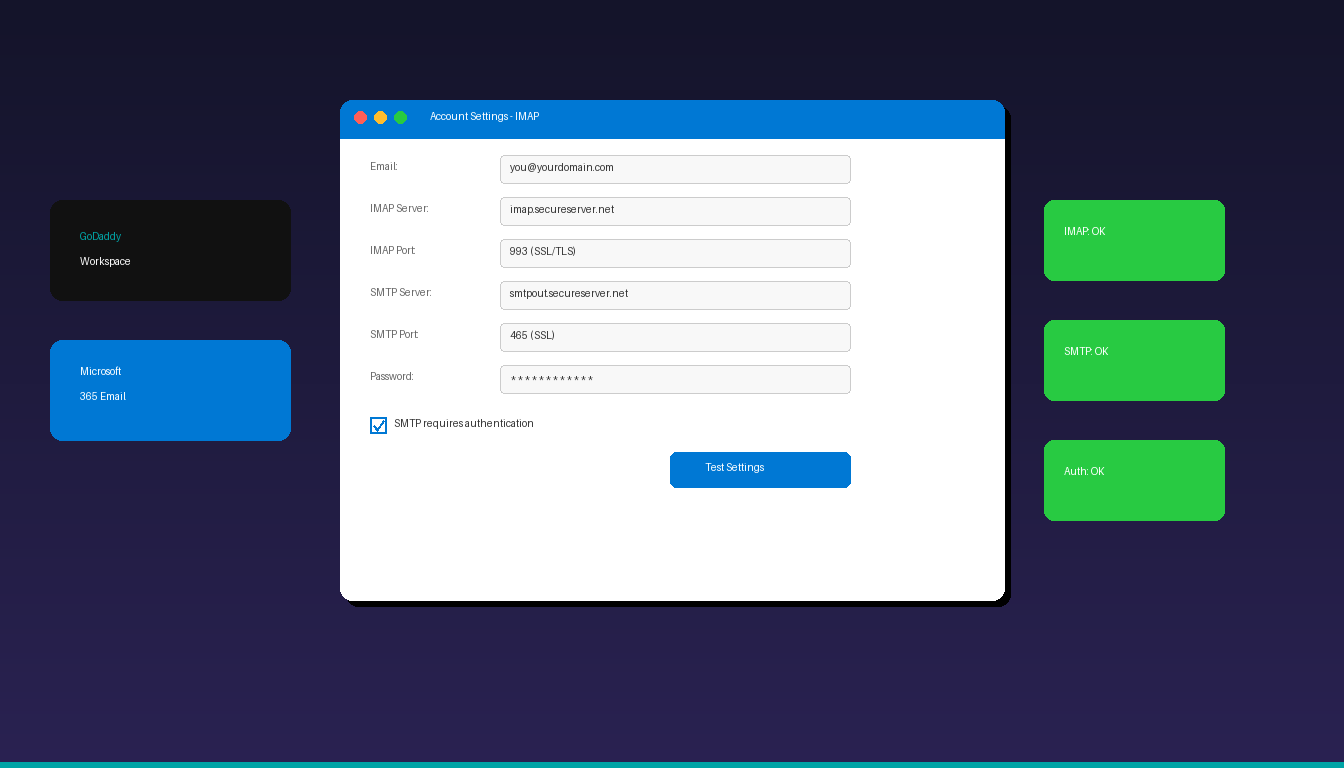
GoDaddy offers two types of email hosting — Workspace Email (their own servers) and Microsoft 365 (Exchange-based) — and each requires a different setup process in Microsoft Outlook. This guide covers both methods with the correct server settings so you can connect your GoDaddy email in under 10 minutes. Once connected, add a professional email signature in Outlook to complete your business email setup.
Key Takeaways
- GoDaddy Workspace Email uses IMAP server
imap.secureserver.neton port 993 (SSL) and SMTP serversmtpout.secureserver.neton port 465 (SSL) or 587 (STARTTLS). - GoDaddy Microsoft 365 Email uses Exchange autodiscovery — Outlook detects settings automatically without manual IMAP configuration.
- Always enable SMTP authentication and SSL/TLS encryption when configuring GoDaddy email in Outlook.
What Are the IMAP and SMTP Settings for GoDaddy Email?
GoDaddy Workspace Email connects to Microsoft Outlook using imap.secureserver.net for incoming mail and smtpout.secureserver.net for outgoing mail, both with SSL encryption required.
| Setting | Value |
|---|---|
| Incoming Server (IMAP) | imap.secureserver.net |
| IMAP Port | 993 |
| IMAP Encryption | SSL/TLS |
| Outgoing Server (SMTP) | smtpout.secureserver.net |
| SMTP Port | 465 (SSL) or 587 (STARTTLS) |
| SMTP Encryption | SSL/TLS or STARTTLS |
| Username | Your full GoDaddy email address |
| Password | Your email password (or app password if 2FA enabled) |
| SMTP Authentication | Required |
These settings apply to GoDaddy Workspace Email (also called Professional Email). If you use GoDaddy’s Microsoft 365 Email, skip to the Microsoft 365 section below — it uses Exchange autodiscovery instead of IMAP. For a deeper look at SMTP configuration across providers, see our Outlook SMTP settings guide.
How Do I Set Up GoDaddy Workspace Email in Outlook?
Open Outlook, choose manual setup, select IMAP, and enter the GoDaddy server settings — the process takes about 5 minutes.
Step 1: Open Account Setup
- Open Microsoft Outlook on your computer.
- Click File > Account Settings > Account Settings.
- Click New to add a new email account.
Step 2: Choose Manual Setup
- Select Manual setup or additional server types and click Next.
- Choose POP or IMAP and click Next.
Step 3: Enter Server Settings
Fill in the following fields:
- Your Name: Your display name for outgoing emails
- E-mail Address: Your full GoDaddy email (e.g., [email protected])
- Account Type: IMAP
- Incoming mail server: imap.secureserver.net
- Outgoing mail server (SMTP): smtpout.secureserver.net
- User Name: Your full GoDaddy email address
- Password: Your GoDaddy email password
Step 4: Configure Advanced Settings
- Click More Settings > Outgoing Server tab.
- Check My outgoing server (SMTP) requires authentication.
- Select Use same settings as my incoming mail server.
- Go to the Advanced tab.
- Set Incoming server (IMAP) port to 993 and encryption to SSL.
- Set Outgoing server (SMTP) port to 465 and encryption to SSL. If 465 fails, try port 587 with TLS.
- Click OK, then Next to test the connection.
Outlook will send a test message to verify settings. If the test passes, click Finish. According to GoDaddy Help, the most common issue is forgetting to enable SMTP authentication.
How Do I Set Up GoDaddy Microsoft 365 Email in Outlook?
GoDaddy Microsoft 365 Email uses Exchange autodiscovery — simply enter your email address and password in Outlook, and it configures server settings automatically.
- Open Microsoft Outlook and click File > Add Account.
- Enter your GoDaddy Microsoft 365 email address.
- Click Connect.
- Enter your Microsoft 365 password (not your GoDaddy account password — these are different).
- Complete multi-factor authentication (MFA) if prompted.
- Outlook will autodiscover the Exchange settings and configure the account.
- Click Done.
GoDaddy Workspace vs Microsoft 365: Which Do I Have?
| Feature | Workspace Email | Microsoft 365 Email |
|---|---|---|
| Server type | IMAP (GoDaddy servers) | Exchange (Microsoft servers) |
| Setup in Outlook | Manual IMAP configuration | Autodiscovery |
| Calendar sync | No (email only) | Yes |
| Contact sync | No | Yes |
| Outlook Web App | GoDaddy webmail | outlook.office365.com |
| Storage | 1-50 GB (plan dependent) | 50 GB mailbox |
| Price | From $1.99/mo | From $6.99/mo |
To check which type you have: sign in to your GoDaddy account, go to My Products, and look under Email & Office. Workspace Email shows as “Professional Email” while Microsoft 365 shows as “Microsoft 365.”
Why Is My GoDaddy Email Not Working in Outlook?
The most common causes are incorrect server settings, disabled SMTP authentication, or using the wrong password — verify these three things first.
1. Verify Server Settings
| Common Mistake | Correct Setting |
|---|---|
Using mail.secureserver.net |
Use imap.secureserver.net for IMAP |
SMTP server secureserver.net |
Use smtpout.secureserver.net |
| Port 143 (no encryption) | Port 993 with SSL/TLS |
| Port 25 (blocked) | Port 465 (SSL) or 587 (STARTTLS) |
| SMTP auth disabled | Must enable authentication |
2. Check Your Password
Sign in to GoDaddy webmail at email.secureserver.net to confirm your password works. If you recently changed your password, update it in Outlook under File > Account Settings.
For Microsoft 365 accounts, sign in at outlook.office365.com instead — GoDaddy webmail and Microsoft 365 webmail are separate portals with separate passwords.
3. Generate an App Password (If 2FA Enabled)
If two-factor authentication is enabled on your GoDaddy account:
- Sign in to your GoDaddy account.
- Go to Account Settings > Login & PIN.
- Under Two-step verification, generate an app-specific password.
- Use this app password in Outlook instead of your regular password.
4. Clear Cached Credentials
- Close Outlook.
- Open Windows Credential Manager (search in Start menu).
- Under Windows Credentials, find and remove entries for
secureserver.netorgodaddy. - Restart Outlook and re-enter your password.
5. Check Mailbox Storage
GoDaddy Workspace Email has storage limits (typically 10-50 GB depending on your plan). If your mailbox is full, new emails bounce. Check your storage at email.secureserver.net under Settings > Storage.
Can I Use GoDaddy Email With the New Outlook?
GoDaddy Microsoft 365 accounts work well with the new Outlook for Windows — Workspace Email accounts may have compatibility issues and work more reliably with classic Outlook.
Microsoft 365 (Recommended)
The new Outlook automatically detects GoDaddy Microsoft 365 accounts through Exchange autodiscovery. Just enter your email and password.
Workspace Email (IMAP)
- Open the new Outlook and click Settings > Add account.
- Enter your GoDaddy email address.
- Select IMAP when prompted for account type.
- Enter the IMAP and SMTP settings from the table above.
If the new Outlook fails to connect your Workspace email, switch to classic Outlook by toggling Try the new Outlook off. For adding other email providers to Outlook, see our guides on setting up Gmail in Outlook and setting up Comcast email in Outlook.
How Do I Set Up GoDaddy Email on Outlook Mobile?
The Outlook mobile app for iPhone and Android supports both GoDaddy Workspace and Microsoft 365 email accounts.
Microsoft 365 Account
- Open the Outlook app on your phone.
- Tap Add Account.
- Enter your Microsoft 365 email address and tap Continue.
- Enter your password and complete MFA if prompted.
- The account configures automatically via Exchange.
Workspace Email (IMAP)
- Open the Outlook app.
- Tap Add Account > enter your email > tap Continue.
- Toggle Advanced Settings.
- Enter the IMAP and SMTP settings from the table above.
- Tap Sign In.
If you need Outlook desktop with full GoDaddy email support, Microsoft Office 2024 Professional Plus ($199.99) includes the classic Outlook application.
Frequently Asked Questions
What is the IMAP server for GoDaddy email?
The incoming IMAP server for GoDaddy Workspace Email is imap.secureserver.net on port 993 with SSL/TLS encryption. For GoDaddy Microsoft 365 email, Outlook uses Exchange autodiscovery and does not require manual IMAP configuration.
Why does Outlook keep asking for my GoDaddy password?
This usually happens when SMTP authentication is disabled, your password was recently changed, or cached credentials in Windows Credential Manager are outdated. Enable SMTP authentication under More Settings > Outgoing Server, update your password, and clear cached credentials to resolve the issue.
Can I use GoDaddy email with Microsoft 365 Outlook?
Yes. If you have a GoDaddy Workspace Email account, add it as an IMAP account in any version of Microsoft Outlook. If you purchased Microsoft 365 through GoDaddy, Outlook auto-detects the Exchange settings. Both work alongside other email accounts in the same Outlook application.
What is the difference between GoDaddy Professional Email and Microsoft 365?
GoDaddy Professional Email (Workspace Email) uses GoDaddy’s own servers with IMAP access starting at $1.99/month. GoDaddy Microsoft 365 uses Microsoft Exchange servers with full calendar, contacts, and Teams integration starting at $6.99/month. Microsoft 365 offers better Outlook integration with automatic setup and sync features.